Currently, I am an IT Datacenter Coordinator. Previously, I have worked as a Datacenter Operational, Server Engineer, System Administrator, IT Security, and IT Support. I enjoy working on projects aimed at development and improvement because there are many new things I can learn. Here is my portfolio: https://medium.com/@hasanudin31113, please feel free to visit.
hasanudin31113 (hasanudin31113)
Microsoft PowerPoint Linux Microsoft Office Microsoft Word Microsoft Excel Windows Server ActiveDirectory Linux Administration
Hire Me
Make a Private Project
Invite to Bid
Existing Projects
Make a Private Project
Invite to Bid
Existing Projects

| User Name: | hasanudin31113 |
| Account Type: | Personal Account |
| Date Registered: | 01/06/2024 23:51:37 WIB |
| Last Seen: | 17/02/2025 05:20:30 WIB |
| Provinsi: | |
| Kabupaten: | |
| Website: | https://medium.com/@hasanudin31113 |
| Online Hours: | 10.65 |
| Projects Won: | 0 |
| Projects Completed: | 0 |
| Completion Rate | - |
| Projects Arbitrated: | 0 |
| Arbitration Rate | - |
| Current Projects: | 0 |
Ratings & Rankings
As Worker

0.00/10.00
0 Point
No Ranking
0 Projects
0.00/10.00
0 Point
No Ranking
0 Projects
As Owner
0.00/10.00
0 Point
No Ranking
0 Projects
0.00/10.00
0 Point
No Ranking
0 Projects
As Seller
0.00/10.00
0 Point
No Ranking
0 Sales
0.00/10.00
0 Point
No Ranking
0 Sales
As Affiliate
0.00/10.00
0 Point
No Ranking
0 Users
0.00/10.00
0 Point
No Ranking
0 Users
Services
Create Monitoring Tools - Opensource
Rp 5,000,000 0.00/10.00 0
Hai semuanya, monitoring tools bagi IT merupakan hal yang perlu dimiliki karena dapat melihat secara keseluruhan performance server maupun network. Kita ketahui bersama, untuk membeli monitoring tools membutuhkan biaya yang tidak sedikit bisa puluhan hingga ratusan juta, belum lagi harus membayar license, biaya jasa implementasinya dan biaya bulanannya. Dengan monitoring tools opensource ini kita bisa memangkas biaya-biaya diatas. Zabbix merupakan monitoring tools opensource yang sangat powerfull, bisa memonitoring hampir seluruh perangkat infrastrukture kita baik server, network dan juga Aplikasi...
Total Rows: 1 ‐ Showing Page 1 of 1
Products
No record found.
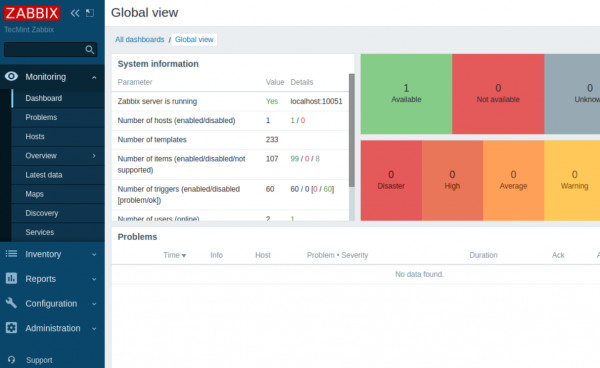
2024: Hello everyone, if you are looking for a free monitoring tool, Zabbix is the solution. Zabbix is a powerful free monitoring tool, it can monitor your entire IT infrastructure, applications, services and resources.
Here are some interesting things about Zabbix:
1. Zabbix is open source, so you don’t need to spend a lot of money to have a monitoring tool.
2. This tool is flexible and customizable so you can adjust what you want to monitor according to your needs.
3. With Zabbix, you get real-time monitoring of your servers, network devices, and more.
4. The Zabbix community is active and always ready to lend a hand. So you don’t to worry if you get into trouble.
"We know that monitoring tools require a lot of expenses, ranging from tens to hundreds of millions. So instead of spending such a large amount of money, we can utilize this software, and its usage is also easy."
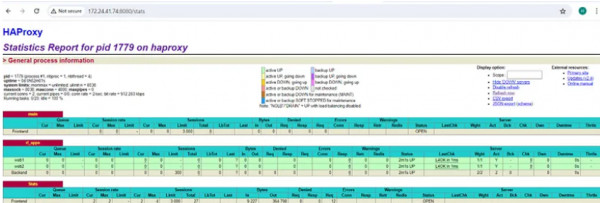
2024: In its development, a web server must have the ability to respond to many requests simultaneously, sometimes one web server alone is not enough to respond to requests from clients so 2 or more web servers are needed to handle so many requests. This requires a method to be able to divide the workload evenly across several web servers. So load balancing is necessary for distribution.
What is load balancing?
I will explain the meaning only, while for the concept and method, please search from the many available sources.
Load balancing is the process of distributing traffic or network traffic efficiently into a group of servers, or better known as a server pool or server farm. This load balancing is useful so that one of the servers on a website that gets a lot of traffic does not experience an overload.
So, from this understanding, you can describe what and how load balancing works.
One way to balance the load is to use HA Proxy.
HAProxy, short for High Availability Proxy, is a free and open source load balancer. It is able to balance incoming traffic from TCP and HTTP based applications by distributing it across the server farm. This tool written in C has a reputation for high performance and efficiency.
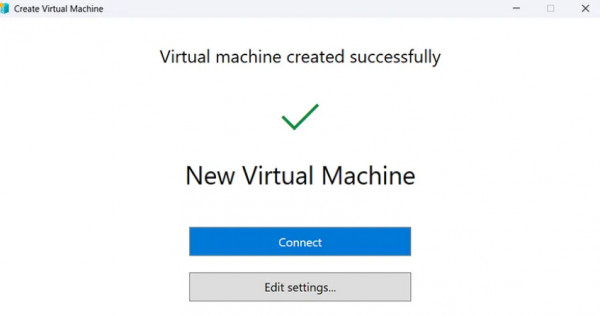
2024: Pros and Cons of Hyper-V:
Pros:
1. Integration with Windows Ecosystem : Hyper-V is seamlessly integrated with the Windows ecosystem, making it easy to manage and deploy virtual machines for Windows-based environments.
2. Cost-effective : Hyper-V is included as a free feature in Windows Server editions and Windows 10/11 Pro and Enterprise editions, making it a cost-effective virtualization solution for organizations already using Windows.
3. Scalability : Hyper-V supports scaling from small-scale deployments to large enterprise environments, allowing organizations to expand their virtualization infrastructure as needed.
4. Security : Hyper-V provides security features such as Shielded Virtual Machines, which encrypt VM data to protect against unauthorized access, and Host Guardian Service, which helps ensure that only trusted VMs are allowed to run on the host.
5. Live Migration : Hyper-V supports live migration, allowing virtual machines to be moved between Hyper-V hosts with minimal downtime, providing flexibility for maintenance, load balancing, and disaster recovery.
6. Performance : Hyper-V is optimized for Windows environments and provides good performance for running Windows-based workloads, especially when used with Windows Server as the host operating system.
Cons:
1. Limited OS Support : While Hyper-V primarily targets Windows environments, it has limited support for non-Windows operating systems compared to some other virtualization platforms like VMware vSphere.
2. Complexity : Setting up and configuring Hyper-V can be complex, especially for beginners or those unfamiliar with virtualization concepts and technologies.
3. Resource Overhead : Like any virtualization solution, Hyper-V introduces some overhead in terms of CPU, memory, and storage resources, which can impact overall system performance.
4. Hardware Requirements : Hyper-V requires hardware support for virtualization (Intel VT-x or AMD-V), which may not be available on older hardware or certain CPU models.
5. Management Tools : While Hyper-V Manager provides basic management capabilities, more advanced features may require additional tools or PowerShell scripting, which can add complexity to management tasks.
6. Licensing : While Hyper-V itself is free, licensing costs may apply for guest operating systems running on virtual machines, especially for Windows Server editions.
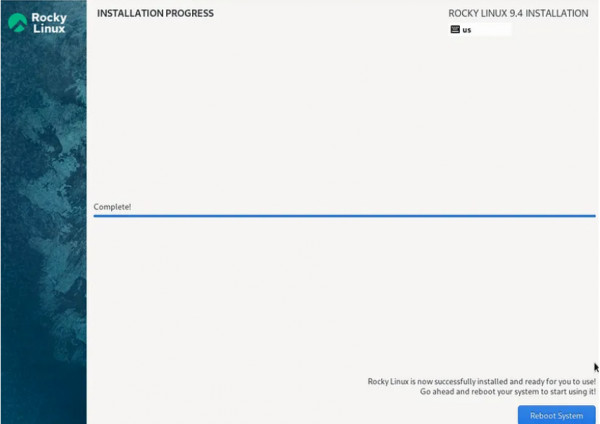
2024: Minimal installation on Linux refers to installing the operating system with only essential components, typically excluding additional software packages or graphical user interfaces (GUIs) that are not essential for basic system functionality.
Here’s what a minimal installation typically includes:
Kernel : The core of the Linux operating system.
Base System Utilities : Essential command-line tools such as shell, filesystem utilities, text editors, etc.
Basic Networking Tools : Tools for network configuration and communication, such as ifconfig, ip, ping, etc.
Package Manager : A package manager for installing additional software packages if needed.
Boot Loader : Software that manages the boot process and loads the operating system into memory.
Device Drivers : Essential drivers for hardware components required for basic system operation.
Minimal installations are popular for several reasons:
Resource Efficiency : Minimal installations consume fewer system resources compared to full installations, making them suitable for systems with limited hardware resources or for specialized purposes where resource efficiency is crucial.
Customization : Users can customize the system by installing only the software packages they need, avoiding unnecessary bloat and keeping the system clean and efficient.
Security : With fewer installed components, there are fewer potential vulnerabilities and attack surfaces, which can enhance security.
However, minimal installations may require additional configuration and setup, especially for users accustomed to graphical interfaces or specific software packages that may not be included in the minimal installation. Additionally, they may not be suitable for users who prefer a pre-configured desktop environment or those who require a wide range of software out-of-the-box.
No record found.
No record found.
Anda harus login terlebih dahulu untuk melihat data ini.
You must login first to see this data.
 Loading ...